
DOWNLOAD THE APP


Customer Services
Copyright © 2025 Desertcart Holdings Limited
DOWNLOAD THE APP


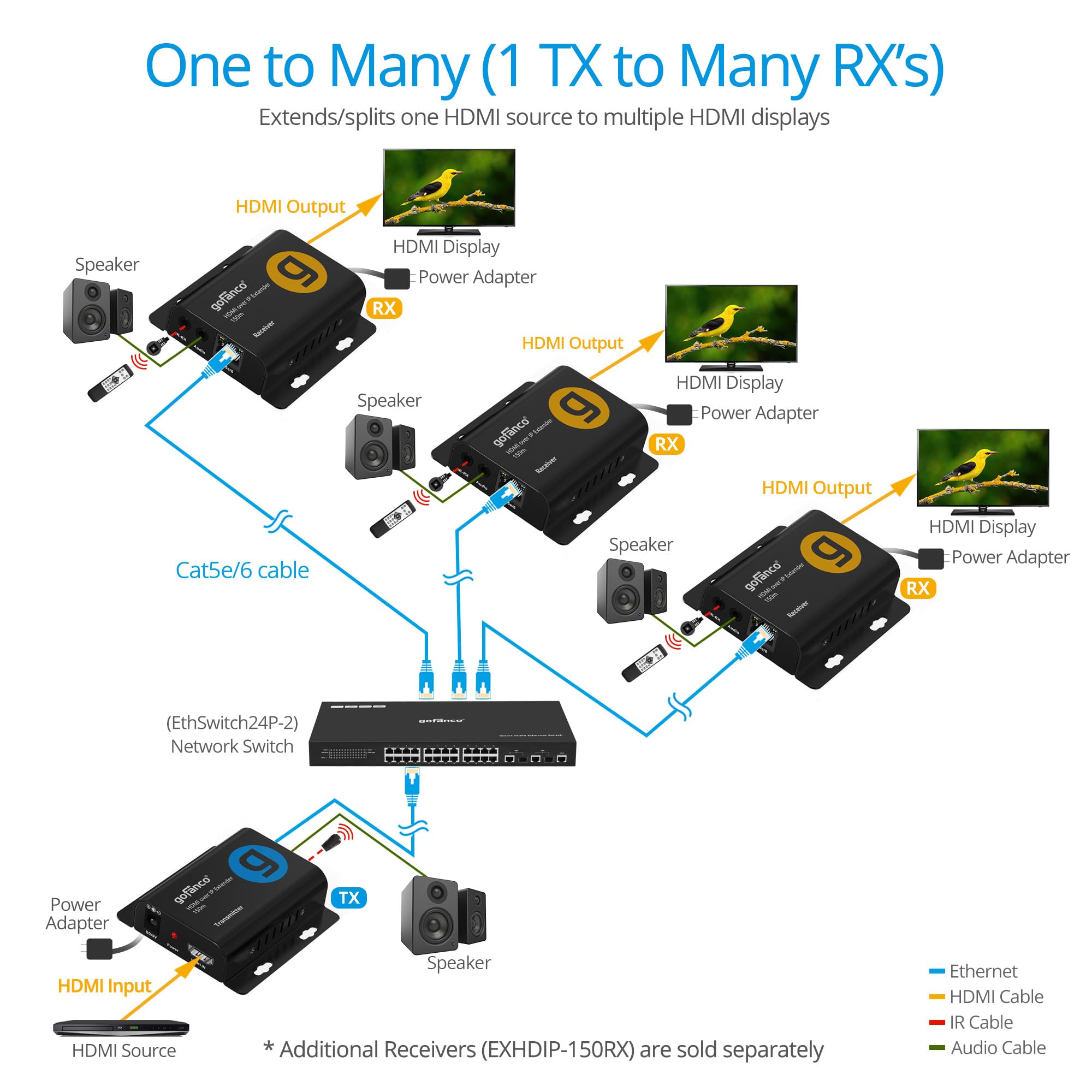


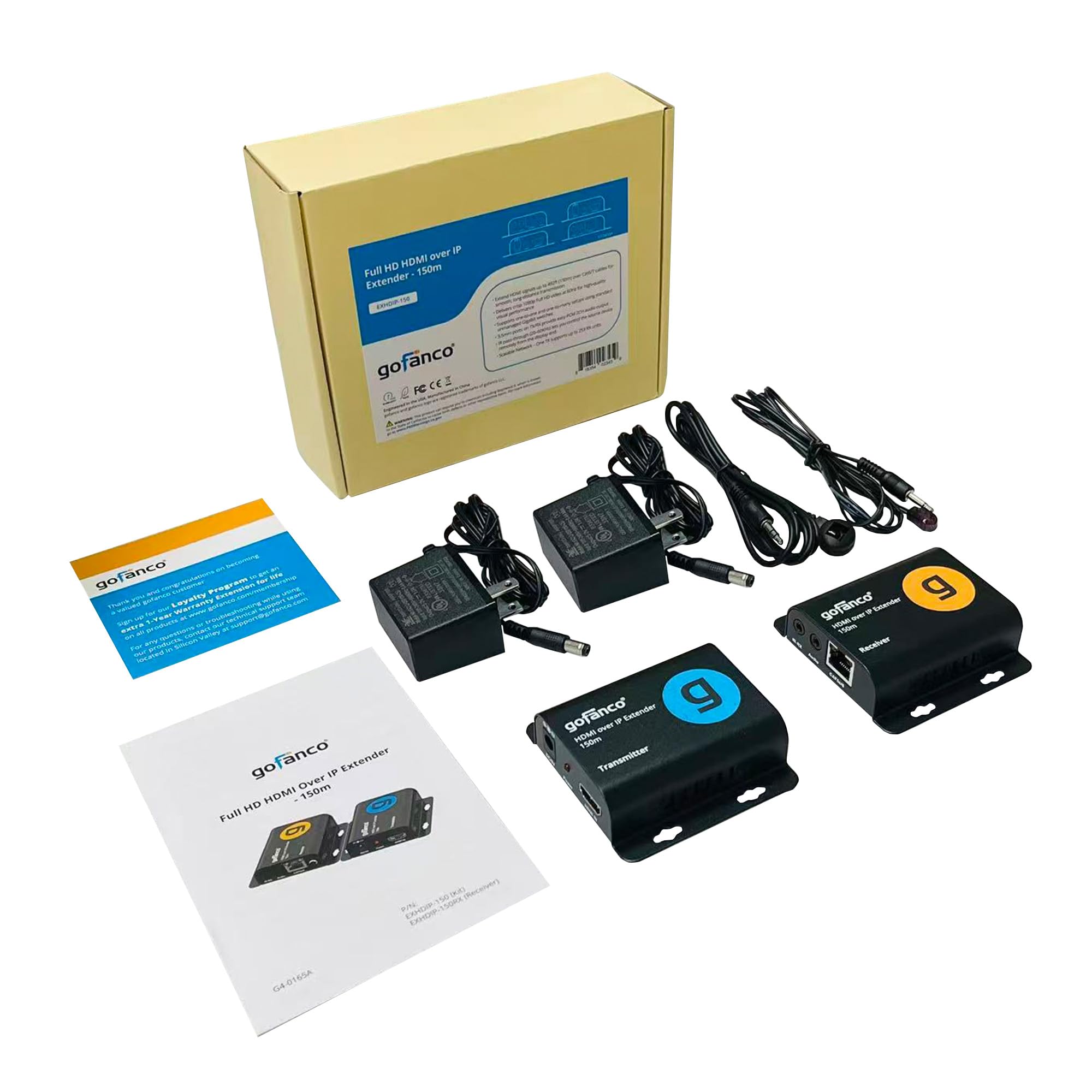
🚀 Elevate your AV game with ultra-long reach and seamless multi-display control!
The gofanco HDMI Over IP Extender (EXHDIP-150) delivers flawless Full HD 1080p 60Hz video transmission up to 492 feet over cat5e/6 cables. Designed for professional environments, it supports one-to-many setups with up to 253 receivers, features audio extraction, IR remote control pass-through, and offers plug-and-play installation with durable, interference-resistant metal housing.


| ASIN | B0FQVB5XXK |
| Customer Reviews | 4.5 4.5 out of 5 stars (503) |
| Date First Available | September 16, 2025 |
| Item Weight | 1.17 pounds |
| Item model number | EXHDIP-150 |
| Manufacturer | gofanco |
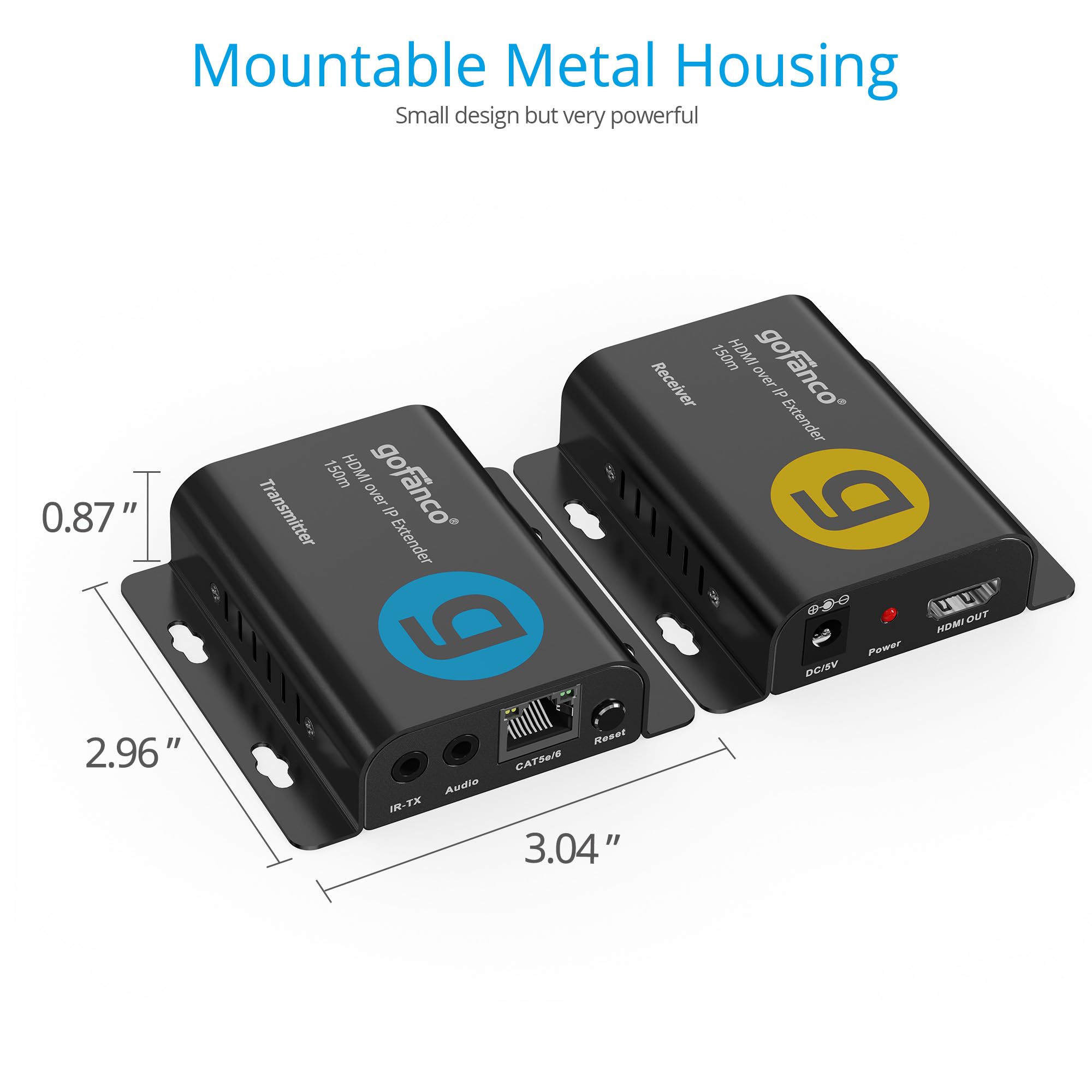
| Product Dimensions | 3.04 x 2.96 x 0.87 inches |
A**R
Muy buen equipo y buen precio!
T**H
Perfect for one to multiple casting!
This device is what I've been looking for! There is no degradation of video quality from the transmitter to the receivers. There is no lag / latency issues either. The only issue I saw was that - if you are adding to an existing network - you MUST create a VLAN within your network for this to work across IP. It was an easy fix for me, but not too many people will be running multiple managed switches in a home environment like I do. Perfect for business purposes, but less home-friendly unless one opts to do a point-to-point cable run. Note: Make sure you purchase enough HDMI cables. The device does not come with one. They're relatively cheap nowadays anyways. I currently have one receiver in each room of a four bedroom house and one in the living room along with the transmitter - connected to a computer. As I have minor children (under the age of 6), it gets quite tedious running from room to room turning on Netflix or Disney cartoons. Instead, I control it all from the living room. The older kids can change to whatever they like, and the younger kids can be easily separated when they bicker. I bought a second batch and installed it in a camper - my buddies and I can watch anime and drink beer without hovering over each other - all while being away from the wife and kids!
B**E
Very simple, works great for our church
We have one TX and three RX on a dedicated vlan. When video is active, it can consume > 100Mb. I really wish this product was POE - I expect many people like us use it that way. This POE adapter works great: https://www.amazon.com/gp/product/B019BLMWWW/ It's a bit difficult to get the right POE adapter. It MUST have Gb data - many only provide 100Mb data passthrough. it also must be 5v, and lastly it must be the small barrel connector, not the larger one common for 12v devices. This solution is simpler and much more cost effective than NDI. What you give up is a small amount of latency. NDI has constant bitrate, and minimal, lossless compression. I believe this product compresses each frame, much like a DVD or streaming camera. With this device, the video when not changing uses minimal bandwidth. I've attached the traffic stats for Sunday morning. We don't power off the TX ever, but do have a black video feed when not in use. The early part is when we stream our announcement loop, and later you see when the live video is occurring. What's important to note is the traffic exceeds 100Mb during active video, so a 100Mb connection will have problems keeping up. There is no adjustments on the TX to cap the bitrate, so do you planning to make sure your network can accommodate, along with whatever traffic you have on other vlans.
D**H
Low cost, looks good, works dependably - and a couple limitations.
Details below. The summary is: So long as these can live on their own isolated network, and the 80 ms latency isn't a problem, these are a great choice for getting HDMI more than 30 ft or to multiple destinations. There have been baluns for sending video over Category cables for years. It worked, but coax is a really good way to send high frequency signals so I found little use for them. The HDBaseT came along. By converting the video into an TCP/IP like signal, it did much better sending over category cabling - but it's pricey and it's not actually ethernet so only HDBaseT components can be used. Now there is HDBitT. This is just a pair of hardware video streaming boxes. HallResearch has some fancy ones that use the ethernet network as a matrix switcher. Again - there's the price. These boxes use the same idea, but without the fancy features or the fancy price! I would not put these loose on a general ethernet network. Maybe they could be "corralled" in a V-LAN. I put one transmitter and either connect it directly to a receive with CAT5e or better cable, or put in a cheap ethernet switch and connect multiple receivers. HDMI in - HDMI out. Easy. Simple. Good quality video. But the downside is latency. This is NOT a good choice for I-Mag - that is, where there is a camera pointed at talent in the same room as the display showing the camera image. The time lag between the real person and the picture is the problem. If the video source is "invisible" - like a video on a computer or the words to songs the latency isn't a problem. One situation to watch out for, though, is if the computer video goes through these but the computer audio goes to the sound mixer. Unless the sound is delayed, it will be out of sync. I have measured 80 ms as the typical latency for one transmitter, two receivers, and an ethernet switch. Many digital mixers can have a delay set on the computers audio channel and that has worked for me.
J**.
Yes, it works like you think it should.
I have used a similar, older product for years. This is the newer "2.0" version and much improved. We have a single TiVo in the family room and we want to duplicate that feed into the kitchen and the screen porch. The old ones worked fine, but the real issue was that after ~4-6 hours the audio would go out of sync. Only by 1-2 seconds so watching a football game was no big deal, but a news show, where you could see people talking, was a mess. A power cycle would fix this. Eventually I bought smart plugs so that I could a.) cycle the power so that it was in sync right before I wake up and b.) I could manually cycle the power if they got out of sync in the middle of the day ("Alexa, fix the TV....") As a network professional, I tried everything including VLANs, recabling, etc. Nothing fixed the issue. But the new version solved this problem. Just to give you more input, the main TV is on Cat 6 to the switch, the screen porch is on Cat 6 to the switch. The kitchen is on Cat 5e to the switch. And (long story) on 2 pairs of the Ethernet cable are active (1,2,3 and 6). Very happy with this purchase. I spent a lot in time and anguish to try to fix the problem in the past. It turns out an updated version was what it needed.
G**K
quality and price
Trustpilot
1 month ago
1 week ago