
DOWNLOAD THE APP


Customer Services
Copyright © 2025 Desertcart Holdings Limited
DOWNLOAD THE APP
🚀 Elevate Your Storage Game!
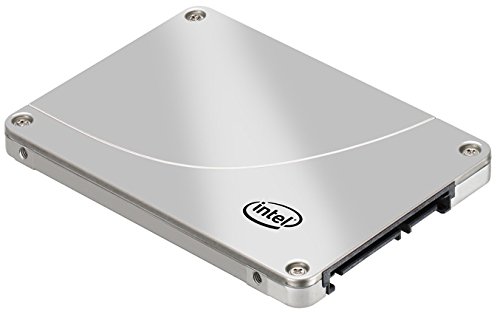
The Intel 320 Series 300 GB SATA SSD offers high-performance storage with impressive read/write speeds, advanced encryption, and a robust design for both desktop and notebook systems. With a life expectancy of 1.2 million hours, this SSD is engineered for reliability and efficiency, making it the perfect choice for demanding users and tech enthusiasts.
G**C
SSD: dangerous to use with Windows XP?
I have been using 3 SSD drives for about 6 weeks now and have a mixed bag of feelings... For previous stories see [...]I have two laptops having 80GB and 160GB drives installed, both running Windows XP, and one desktop 320GB with Vista on it. The drives are about 60 - 70 % full, with lots of daily activity going on. I had the "Toolbox Optimization utility", aka TRIM guy, scheduled to run twice a week. The laptops got very fast, not doubt about it!Here is what has happened to me:1. System #1, 160GB, lots of code installs and data movement, suddenly got slow, XP froze. Multiple boot attempts got through to various stages of the system being loaded. After about 3 of them decided to boot standalone Acronis True Image and was able to pull a backup image off the SDD drive. Then tried to boot the system a few times, ended up with "No system disk found".Replaced the SDD with a regular drive, restored the backup image, was back in business in about 3 hrs, sweating and swearing a lot. Connected the SSD drive over USB, the system would not even detect it, looked like fried electronically. Checked the restored drive for fragmentation: the picture showed sectors used all the way up to the drives capacity, with lots of holes in between. So... did it run out of free sectors while it was on SSD?Luckily still within 30-day "no questions asked" return policy from Amazon, got the drive replaced the next day. Repeated the SSD installation procedure, booted off it and never had any problems since then (3 weeks). I am very careful now to run the TRIM utility before and after any task involving large amounts of data. Have it set to run 3 times a week automatically. Reasonably happy.2. System #2: 80GB, medium activity. System got slower, reported booting error, repeated boot got me through. Remembering the lesson from system #1, fired up TRIM utility (set to run twice a week anyway), the moment it started spinning, even before getting to 1% checked, POOF! The system froze and I got the "blue screen of death". "No system disk" on boot attempt. Found the original disk, replaced, booted OK, except data was a month old as I was not keeping up with backups (ever heard of a failing SSD drive?!, nah... right...). Connected the SSD drive via USB: seems to work electronically, data recovery utilities did not find a single file on it, it is totally GONE! Lesson learned: keep current backup! I am about to exercise the 5 years warranty rights from Intel and give it another try... Totally not happy.3. My system #3, desktop using a 320GB SSD: running Vista happily for 6 weeks now. I diligently run the TRIM utility and backups twice a week. Very happy with performance, so-so happy otherwise because I constantly need to watch what I am doing.Anyway, I wanted to share my experience with you all and ask the big question: should people be using SSD drives with systems which do not have an automatic TRIM capability? I think this is quite dangerous, despite Intel not saying anything about such dangers of the drives going completely kaputt when they run out of free sectors.
N**H
Born June 25, 2011 --- Died Aug 9, 2011
This WAS my first solid state drive. What a quick death! When I first got this hard drive, I cloned it. Cloning the hard drive was quick and easy. After the installation, I was impressed at how fast it made my system.Now it is time for the dirt. Who cares about speed when it only works for a total of 45 days? Honestly, I am willing to trade in speed for reliability any day. Sign me up. Because now, I have to spend a few hours getting everything back to normal again. Re-installing, and shipping the defective product is a major pain. How annoying. I thought that technology was supposed to make my life easier, not harder?I realize that a factory sometimes manufactures bad batches. Statistically, older hard drives either die within the first 6 months or after 7 years. It is less likely for hard drives to fail between those time frames. However, based on the large number of complaints by other reviewers, these are not bad batches. They are bad designs.I will update on how annoying/fun returning this product will be.------------------------August 10, 2011:I used Intel's live chat to get some help on this process. Their website wasn't overly clear on this.The Intel representative told me that I have to pay for shipping it there, and that they will pay for its way back. How gracious of them! Wait ... so why am I being punished for being sold a faulty product again? Re-installing everything and being without a functioning laptop should be enough of a punishment.It seems to me that if you get a faulty hard drive, you will have to take a double-hit on this one. Being unsatisfied with their service, I told the representative that I want to talk to the manager. He told me that a manager will contact me in one business hour.She called me in less than one business hour. I told her that I am not willing to pay for shipping back a faulty product. She replied saying that she will waive the $25 fee for shipping this one time. Well let's hope that there is no other time. If this was to happen again, then I will have to pay for shipping this piece of metal back to them.------------------------December 24, 2011:My computer hung while I was searching the internet. Surfing the internet is not computing intensive. To those interested in buying this hard drive, if your computer hangs and you get the blue screen of death, your hard drive will be toast. After rebooting my computer, the famous "Operating system not found" message came up again. Here we go again, another hard drive failure. Merry Christmas to me.------------------------December 28, 2011:I called intel and asked for my money back. After being put on hold for ten minutes, the agent told me that they will make a refund in this special case.
E**5
This SSD gives my old laptop a new life
The Intel 320 SSD 160GB works like a charm. Installation is easy and straight forward. My 5 years old Thinkpad X60 Tablet was running out of diskspace (but other than that everything is smooth and so I was really hesitate to upgrade to a new laptop) and this SSD gives my laptop a new life. Even though the X60 interface is only half the speed of what teh 320 series could provide, it is still a big improvement from what it was before. I also twisted a bit with Norton 360's utility to delay certain start up processes in addition to turn off disk-defragmentation and indexing. Overall, I highly recommend this product.
S**N
BAD_CTX 000001
先日、いわゆる8MB病を発症。*おきのどくですが、ぼうけんのしょ1ばんはきえてしまいました。みたいな問答無用のあっけなさ。データの安否に関しては見るからに一縷の望みも期待出来ない無情な佇まい...。昨年10月に購入。8MB病に対策したとされる FW:0362 が出たのを見計らってしばらく後に購入したものの届いたのは 0302 。私の環境ではファームウェアアップデートできなかったので来るべき日に備えバックアップだけは万全に備えていたので被害はありませんでしたが、何の前触れもなくシステムがフリーズ→強制電源断→再起動→8MB。と定石通りの展開。使用中の OS(Tiger) は元々枯れ果てておりめったにフリーズしないので、フリーズの原因自体この8MB病にあったのではないかと睨んでいますが。なお、インテルのサポートに連絡すると当然ながら丁寧に対応してもらえます。初めは ToolBox による SecureErase 、ファームアップを提案されますが、改善しなかったり実行環境がない人は「良品在庫」との交換対応になるようです。保証期間内ならハード的には取り返しがつくものですが、データは保証されません。320 Series を使用の方は日々のバックアップを怠りなく。FW:0362でも発症したという報告がありますので。古い Power Mac G5(Late 2005, SATA I) にはお誂え向きの SATA II 製品であることと、使用感、性能的には満足しているので星5つ。ちなみに交換対応中の今はその場しのぎで SATA III の520 Series(240GB) を使っています。G5との相性の問題か下段ベイでしか使えず、その下段ベイも気に入らないのか寝覚めが悪く朝イチはときどき認識されませんが。
S**0
ハード・ソフトともオールインワンのSSD製品です
若干高いかとは思いますが、オールルインワンのSSDセットです。製品の中身には、マウント、固定ねじ、ドライバー、各種ケーブル、クローンソフトまで同梱されており、至れり尽くせりと言えます。 今回は、古いWinXPのSSD化の一環で購入しました。SATA環境ではないためPCI専用のSATA変換ボード(ROTOC社製)を増設してからの作業でした。なんと言ってもこのSSDの有利な点は、INTELのTool Boxに含まれるSSDオプティマイザーでSSDを最適化ができる事です。他社のSSDにもこのソフトは使えるそうですが、機能限定のようです。 まずはOSのクリーンインストールでF6手順でAHCIドライバーを組み込もうとしたのですが、M/BとACHIドライバーとの適合性の問題で駄目でした。IDEのSSD化ではACHIモードでの使用は出来ないようです。しかし、起動は早くなり、ソフトのレスポンスは飛躍的に改善されたので大満足です。さらに10年は使えそうです。 容量的には160GBでOSをフルに駆動させるのにはかなりの余裕はありますが、SSD導入後に必要とされる各種設定については、WEB上に掲載されています。OS Driveへの読み・書き込み、アクセスを極力抑えることが長寿命に繋がるものとされており早速これらを参考に設定を行いました。 なお、元々、セットされていたIDE接続のHDDはそのまま残し、データドライブ用にフォーマットしました。またバックアップとして、SATA接続のHDDのクローンを作成しましたので、万一SSDが使用不可となった場合は、このクローンからHDDケース経由で新たなSSDにコピーできますので、簡単に復旧できます。 最近、あるメーカがハイブリッドPC(OSはSSD、データ書き込み等はHDD)を発売しましたが、今後多くなるものと考えられます。WinXPのサポートはもう少しで終わりますが、傑作と称されるOSをメンテナンスを行いながら長く使いたいと思います。
T**I
高性能・大容量ですがとにかく高価・それで故障とは
どうせSSDにするのなら、トップメーカーの大容量、と決めて、思い切って買いました。以前にB社のSSDが壊れたという体験があり、インテルのブランドに期待しました。はじめは順調に動き、さすが、と思っていましたが、半年あまり経過したとき、突然ダウン。散々あちこちに連絡を取った末、やっとインテルが無償交換に応じました。イチからリカバリです。今度は長持ちしてくれると思っていますが、二度のSSDの故障(不良)を経験すると、HDDより丈夫で高速で安心、というのは疑わしい、と思い始めています。HDDなら壊れたら壊れたで、諦めがつきますし、そもそも実際にクラッシュなんて経験していない。SSD神話、HDD神話ではないでしょうか。このSSDを組み込んだパソコンと、もう一台のパソコンとを並行して使っていますが、SSDやHDDのクラッシュを心配するより、安くてもいいから2台のパソコンを使った方がよほど安心です。SSDの値段がもうヒトケタ安くなればともかく、そうでなければSSD信仰はそろそろ願い下げにします。
K**E
購入から2ヶ月経った感想です
Lenovo G465に換装して使用しております。購入後1ヶ月で認識しなくなってしまい、取り敢えず元のHDDに戻して使っておりました。駄目もとで、Intelのサポートに連絡したあと、Amazonの返品交換を頼んでみましたところIntelの対応もAmazonの対応も大変素早く、最初の連絡を入れてからたったの3日で新品が届きました。(当方、北海道のド田舎です)たまたま、ハズレに当たってしまったのは残念ですがIntelさんとAmazonさんの素早い対応を知ることが出来たので結果的には大変良かったと感じております。再換装から1ヶ月経ち、快適に使用出来ております。
Trustpilot
1 month ago
2 months ago