Desert Online General Trading LLC
Dubai, United Arab Emirates
Desert Online General Trading LLC
Dubai, United Arab Emirates




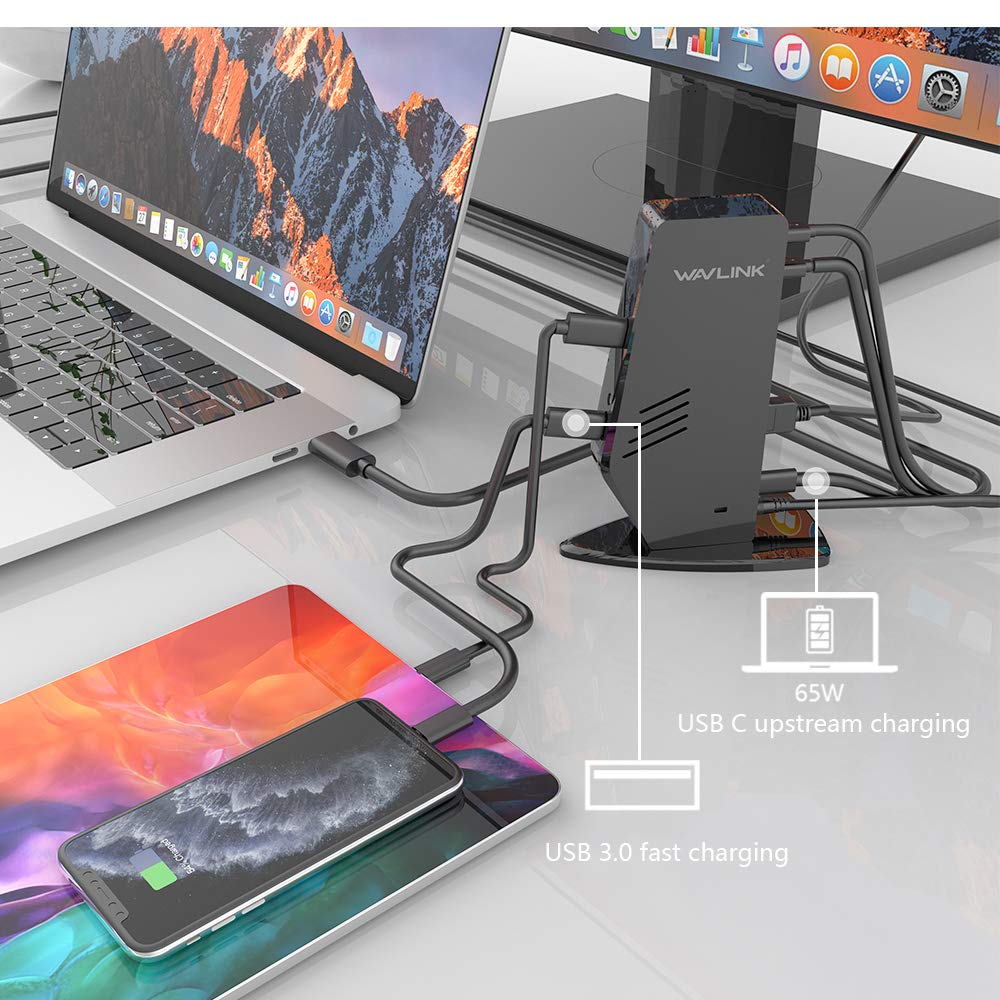

⚡ Elevate your desk game with power, ports, and pixel-perfect displays!
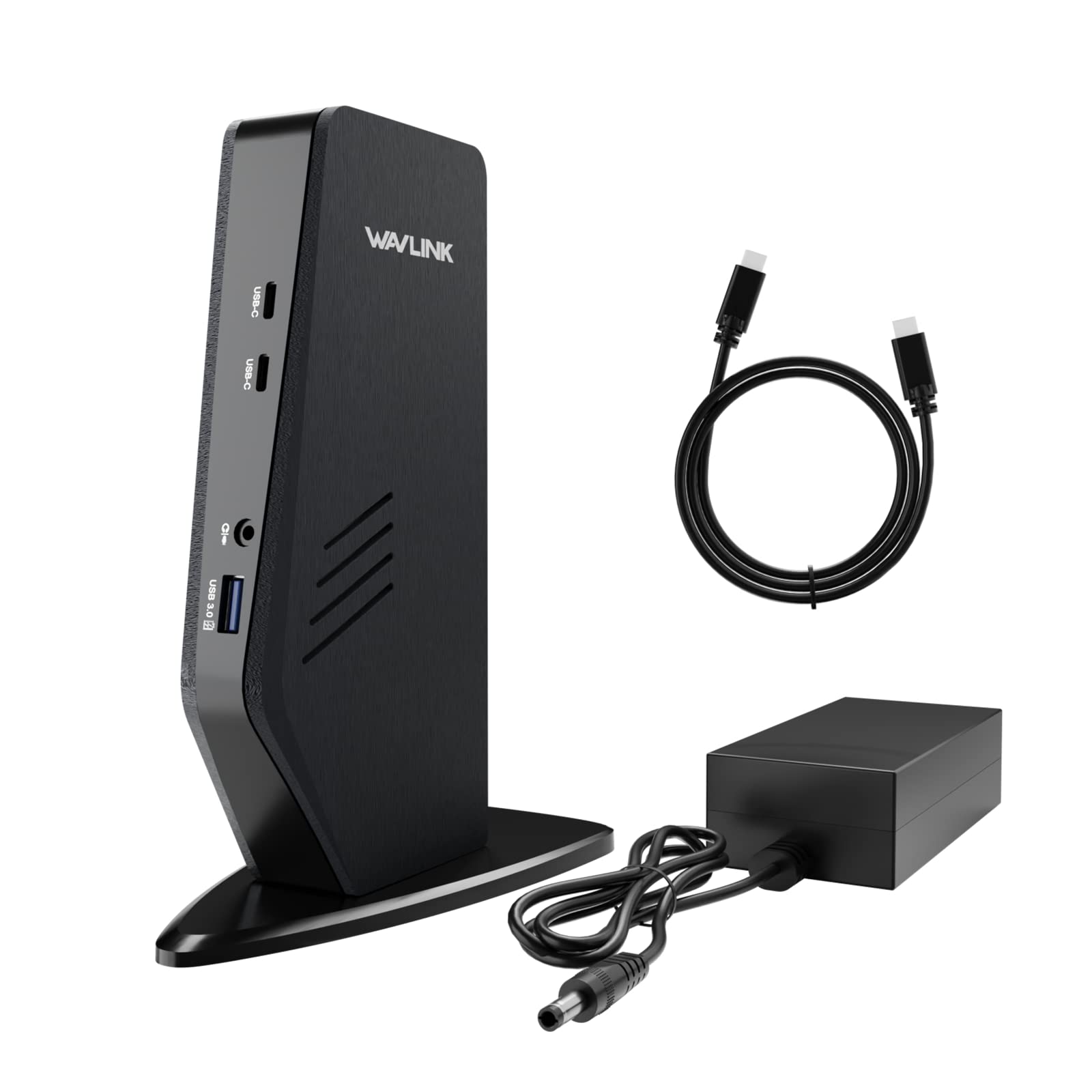
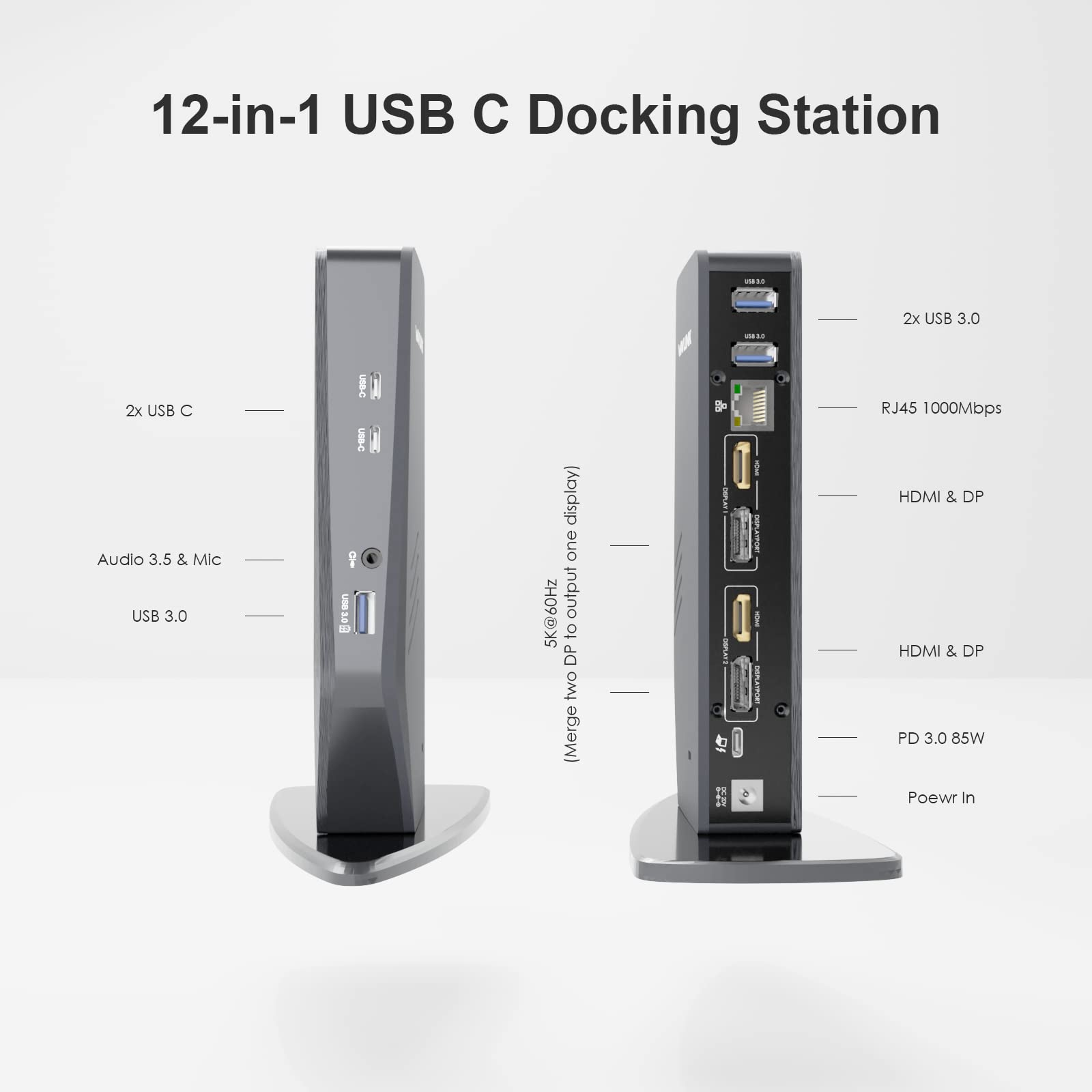
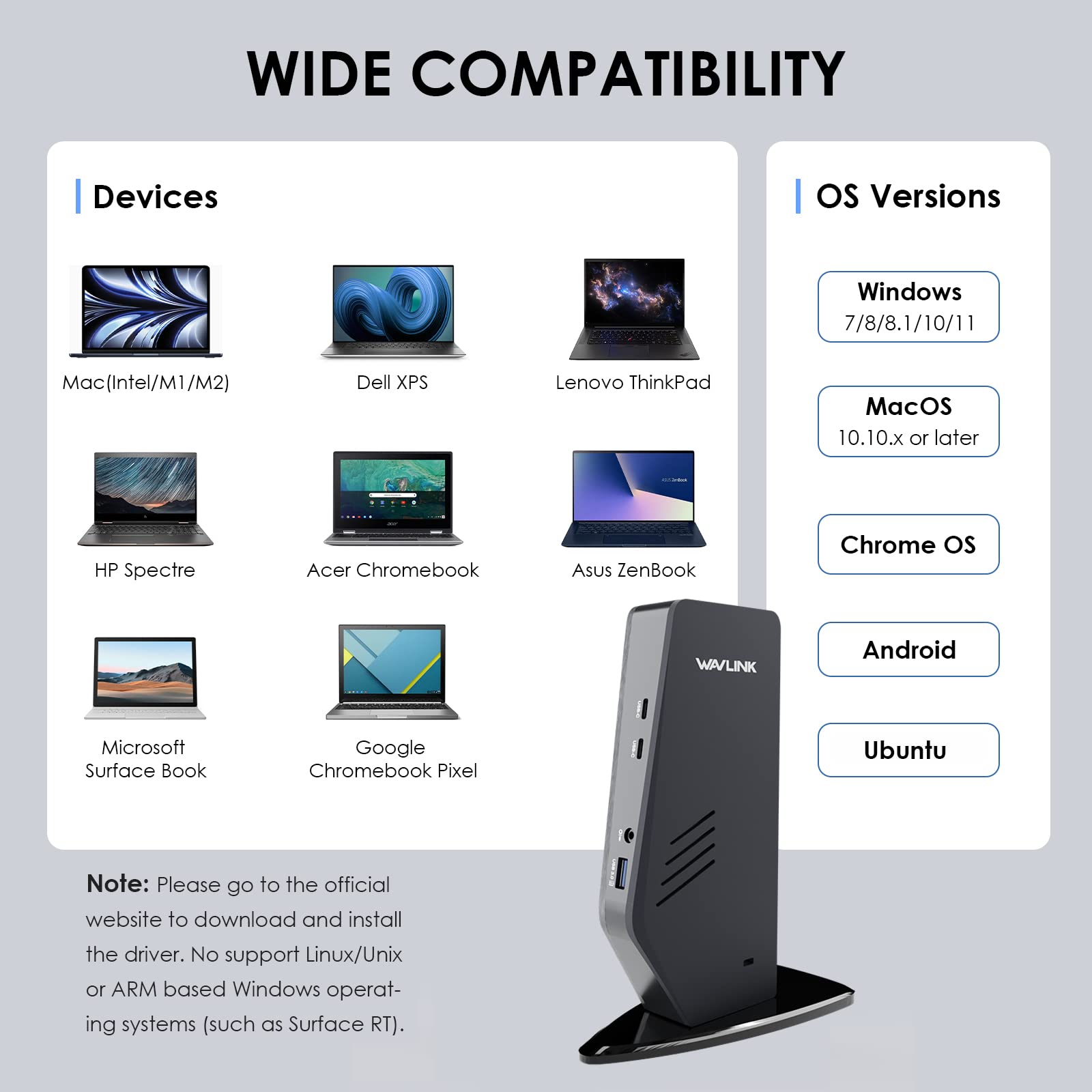
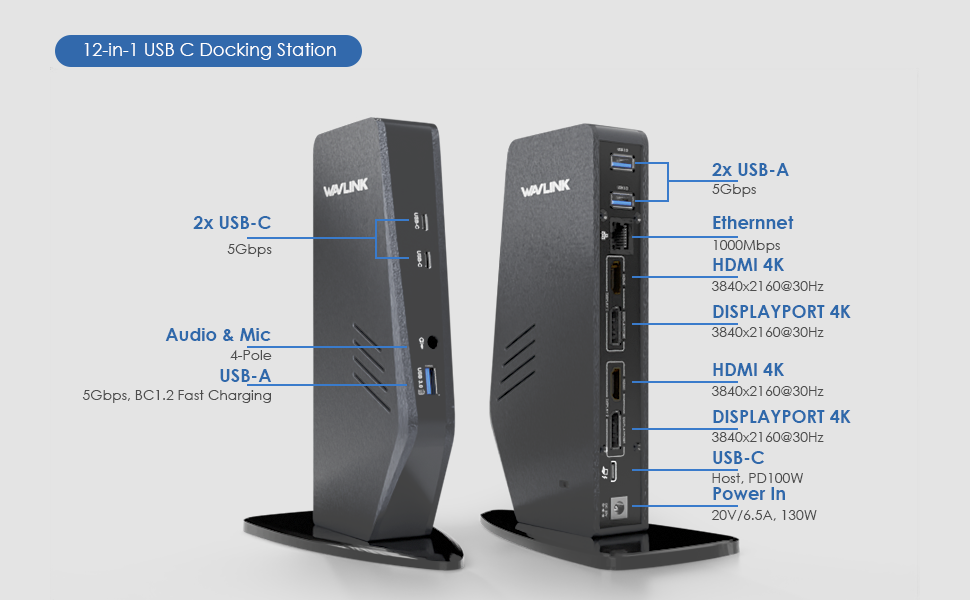
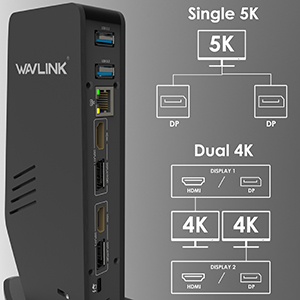
The WAVLINK USB C Universal Laptop Docking Station is a powerhouse accessory designed for professionals craving seamless multi-display setups and extensive connectivity. Supporting dual 4K@60Hz or a single 5K display, it expands one USB port into 13 versatile connections, including HDMI, DisplayPort, Ethernet, and USB-A/C. Compatible with a wide range of devices and operating systems, it delivers up to 65W power delivery to keep your laptop charged while powering peripherals. With robust warranty and support, it’s the ultimate upgrade for a clutter-free, high-performance workspace.




| Brand | WAVLINK |
| Manufacturer | WAVLINK |
| Product Dimensions | 21.7 x 16.1 x 12.1 cm; 1.38 kg |
| Hardware Interface | DisplayPort, Ethernet, HDMI, Thunderbolt 3, USB 3.0 Type C, USB 3.1 Type C |
| Compatible Devices | Dell Latitude 7370 |
| Wattage | 65 Watts |
| Batteries Required | No |
| Number of Ports | 12 |
| Total USB ports | 6 |
| Does it contain liquid? | No |
| Manufacturer | WAVLINK |
| Country of Origin | China |
| Item Weight | 1 kg 380 g |
A**L
Does what it says
TLDR; UG69PD5 is expensive but does the job well. DisplayLink drivers must be installed to use this dock.In my review I will cover looks, pricing, support, DisplayLink issues, and some cable related issues I ran into.Looks:I wish they had made another model available in India that had the flat chocolate bar form factor for e.g. UG69PD2. I am not a fan of this funky tower. It's not too big, about 8" tall, 4" in the middle and 6" at the base. But I like clean lines and so I've hid this in a cabinet next to my desk.Pricing:Price is high for a dock. You can certainly get dual display adapters for 1/3 of this price. However DisplayLink with PD docks are generally expensive. This seems to be the only model in India that supports DisplayLink and power delivery to laptop. Note also that, the same thing by caldigit, startech or belkin are twice the price in American markets.Support:Support was very good. They took time to answer my questions but responded well and accurately.DisplayLink:This is a DisplayLink only dock. It's necessary if you want to run dual extended display for M1/M2 MacBook Air and works great for my personal M2 MacBook Air. Weirdly though, my office M1 MacBook Pro supports multiple hardware enabled displays at office but I still had to install DisplayLink on it to make it work with this dock. Plus DisplayLink has quirks of its own; it works through software so your laptop has to be powerful enough to support it and it’ll never be as smooth as hardware supported displays. You will have to enable screen recording permissions and that means some HDCP content like Netflix streaming may not work. No automatic blue light reduction unless you install an app. FYI, I am using this with a cheap KVM Switch and I don't have any issues. Do your research.Cable related issues:A couple of times I ran into problems that I discovered was due to faulty cable or settings. The cable included in packing is good but short. I put the dock in a cabinet next to the desk and so I used a USB-C cable I had, lying about. With that cable, I didn’t get gigabit lan speeds, though everything was working in general. I found out that the cable is a cheaper 480Mbps USB-C cable. I purchased a USB 3.0 5Gbps cable and that did the trick.Next, I noticed that second extended display had very poor refresh rate, while the first extended display worked fine. I fixed this by reducing the refresh rate of both monitors from default 75hz to 60hz. The dock is rated for two 4k@60hz displays. But I guess it couldn't handle two 1080p@75hz displays and that compromised the quality of the second extended display. 1080p@60hz works fine.Overall, the dock has its quirks but it does exactly what it says. Do your research and know what you need.
J**H
Working well with M1 Macbook Air
I have a M1 MacBook Air 2020 version. For a long time I was thinking of a dual display and finally bit the bullet as now want to do a bit of Photo editing and Excel multiple sheets. The Dock is excellent and works well with no noticable delay. I connect my 27 inch 2012 Thunderbolt Cinema display on the other USBC port on the laptop and on the Wavlink dock I connect my 32 inch 4K Benq PD 3205 UA monitor. Have been using it since 22nd March and all works well. The KTM works fine too, except that the mouse and keyboard do not shift on the HDMI connected Laptop. I am sure it is something that I need to figure out though.The speeds on SSD drives connected via a hub are decent. Blackmagic Speed reports about 371 MB/s for the Sandisk Extrame and for the Seagate Expansion HDD 18TB about 170 MB/s write speeds. The Sandisk Extreme when directly connected to the Laptop have speeds about 670MB/s.My needs for the M1 Macbook Air are photo and video editing and productivity work with Excel and the rest. The Dock performs well for the use.
A**E
Dual display for M1 MacBook and even connects laptop to TV
Does what it claims. Good product. Easy setup and easy connection. You can connect MacBook to TV using this. Don't know how it works on Windows laptop but good choice for MacBook. It charges the MacBook too through usb c port power delivery.
J**Y
Subpar Power Adapter Quality for a Promising Dock
I recently purchased the Wavlink Wl-ug69dk1 dock, While the dock itself performs decently in terms of functionality, I am disappointed with the quality of the power adapter provided.The power adapter feels flimsy and cheaply made compared to the dock itself.The cable is thin, hard and the connectors don't inspire confidence in durability.Provide a higher-quality power adapter to match the dock’s performance and price point.For a premium experience, I would have expected better attention to detail on this critical component.
A**G
Secon display keeps crashing
The second display keeps crashing on my windows 11 and mac device. Not worth the price
A**H
Desperate measure
Get this only if you're desperate like I was as my laptop HDMI port stopped working.There is always some issue with the display and the monitor crashes into a colored screen every day once or twice.
S**A
Increases MacBook M1 Productivity !
Expensive but needed to increase my on the job task completion. Easy setup, you must instal free software, will run two extra monitors. Only glitch, sometimes I have to go start the program that makes the screens run, once you know it’s not an issue.
S**H
⭐⭐⭐⭐⭐ Excellent Docking Station!
Highly recommend for seamless multitasking and connectivity!
Trustpilot
1 month ago
2 weeks ago